Android-Developers

  • Subscribe to our RSS feed.
  • Twitter
  • StumbleUpon
  • Reddit
  • Facebook
  • Digg

Monday, 8 October 2012

Building Quality Tablet Apps

Posted on 11:04 by Unknown
Posted by Reto Meier, Android Developer Relations Tech Lead


With the release of Nexus 7 earlier this year, we shared some tips on how you can get your apps ready for a new wave of Android tablets. With the holiday season now approaching, we’re creating even more ways for great tablet apps to be featured in Google Play - including a series of new app collections that highlight great apps specifically for tablet users.
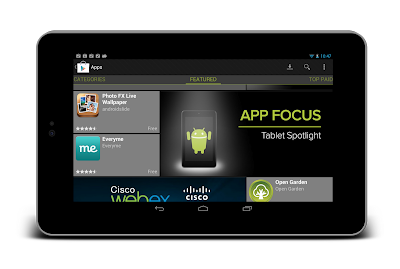


To help you take advantage of the opportunity provided by the growing tablet market, we’ve put together this Tablet App Quality Checklist to make it easier for you to ensure your app meets the expectations of tablet users.


The checklist includes a number of key focus areas for building apps that are a great experience on tablets, including:

  • Optimizing your layouts for larger screens

  • Taking advantage of extra screen area available on tablets

  • Using Icons and other assets that are designed for tablet screens


Each focus area comprises several smaller tasks or best practices. As you move through the checklist, you'll find links to support resources that can help you address the topics raised in each task.


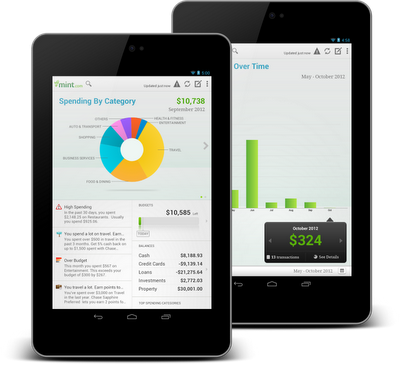
The benefits of building an app that works great on tablets is evident in the experiences of Mint.com, Tiny Co, and Instapaper who reported increased user engagement, better monetization, and more downloads from tablet users. You can find out more about their experience in these developer case studies.


The Tablet Quality Checklist is a great place to get started, but it’s just the beginning. We’ll be sharing more tablet development tips every day this week on +Android Developers. In Android Developers Live, Tuesday’s Android Design in Action broadcast will focus on optimizing user experience for tablets, on Thursday we’ll be interviewing our tablet case studies during Developers Strike Back, and on Friday’s live YouTube broadcasts of The App Clinic and Friday Games Review will be reviewing apps and games on Android tablets.


What are your best tips for building great

tablet apps?


Join the discussion on

+Android Developers


Email ThisBlogThis!Share to XShare to FacebookShare to Pinterest
Posted in Android Design, Best Practices, Google Play, Quality, User Interface | No comments
Newer Post Older Post Home

0 comments:

Post a Comment

Subscribe to: Post Comments (Atom)

Popular Posts

  • Bring Your Apps into the Classroom, with Google Play for Education
    Posted by Shazia Makhdumi, Head of Strategic EDU Partnerships, Google Play team Google Play for Education has officially launched . It’s an ...
  • A Faster Emulator with Better Hardware Support
    [This post is by Xavier Ducrohet and Reto Meier of the Android engineering team. — Tim Bray.] The Android emulator is a key tool for Android...
  • Powering Chrome to Phone with Android Cloud to Device Messaging
    [This post is by Dave Burke, who's an Engineering Manager 80% of the time. — Tim Bray] Android Cloud to Device Messaging (C2DM) was lau...
  • Android 1.5 is here!
    I've got some good news today: the Android 1.5 SDK, release 1 is ready! Grab it from the download page . For an overview of the new Andr...
  • Memory Analysis for Android Applications
    [This post is by Patrick Dubroy, an Android engineer who writes about programming, usability, and interaction on his personal blog . — Tim B...
  • Preview of Google TV Add-on for the Android SDK
    [This post is by Ambarish Kenghe, who’s a Product Manager for Google TV — Tim Bray] At Google I/O , we announced that Android Market is comi...
  • Android SDK Tools, Revision 20
    [This post is by Xavier Ducrohet , Tech Lead for the Android developer tools] Along with the preview of the Android 4.1 (Jelly Bean) platfo...
  • RenderScript Intrinsics
    Posted by R. Jason Sams , Android RenderScript Tech Lead RenderScript has a very powerful ability called Intrinsics . Intrinsics are built-...
  • In-App Billing on Android Market: Ready for Testing
    [This post is by Eric Chu, Android Developer Ecosystem. —Dirk Dougherty] Back in January we announced our plan to introduce Android Market ...
  • Twitter for Android: A closer look at Android’s evolving UI patterns
    [This post is by Chris Nesladek, Interaction Designer, Richard Fulcher, Interaction Designer, and Virgil Dobjanschi, Software Engineer — Ti...

Categories

  • accessibility
  • Action Bar
  • Administration
  • Android
  • Android 1.5
  • Android 1.6
  • Android 2.0
  • Android 2.1
  • Android 2.2
  • Android 2.3
  • Android 2.3.3
  • Android 3.0
  • Android 3.2
  • Android 4.0
  • Android 4.2
  • Android 4.3
  • Android 4.4
  • Android Design
  • Android Developer Challenge
  • Android Developer Phone
  • Android Market
  • Android SDK
  • Android Studio
  • Animation and Graphics
  • Announcements
  • App Components
  • App Resources
  • Apps
  • Audio
  • Authentication
  • Best Practices
  • Boston
  • Code Day
  • Connectivity
  • Content Provider
  • Cool Stuff
  • Dashboard
  • Daydream
  • Debugging
  • Developer Console
  • Developer Days
  • Developer Labs
  • Developer profiles
  • Developer Story
  • Education
  • Games
  • GCM
  • Gestures
  • Google Analytics
  • Google Cloud Messaging
  • Google Cloud Platform
  • Google I/O
  • Google Play
  • Google Play game services
  • Google Play services
  • Google Services
  • Google Wallet
  • Google+
  • Guidelines
  • How-to
  • Image Processing
  • IME
  • In-app Billing
  • Input methods
  • Intents
  • io2010
  • IO2013
  • JNI
  • Layout
  • Localization
  • Location
  • Location and Sensors
  • London
  • Maps
  • Media and Camera
  • Mountain View
  • Munich
  • NDK
  • Open source
  • OpenGL ES
  • Optimization
  • Performance
  • Photo Sphere
  • Promo Graphics
  • Quality
  • Quick Search Box
  • Renderscript
  • Resources
  • RTL
  • Sample code
  • SDK Tools
  • SDK updates
  • Security
  • Sensors
  • Speech Input
  • Support Library
  • Survey
  • Tablets
  • Tel Aviv
  • Telephony
  • Testing
  • Text and Input
  • Text-to-Speech
  • Tools
  • Touch
  • User Interface
  • User Support
  • WebView
  • Widgets

Blog Archive

  • ►  2013 (45)
    • ►  November (2)
    • ►  October (7)
    • ►  September (2)
    • ►  August (5)
    • ►  July (5)
    • ►  June (4)
    • ►  May (9)
    • ►  April (3)
    • ►  March (2)
    • ►  February (3)
    • ►  January (3)
  • ▼  2012 (43)
    • ►  December (5)
    • ►  November (3)
    • ▼  October (3)
      • Google Play Seller Support in India
      • New Google Play Developer Console Available to Eve...
      • Building Quality Tablet Apps
    • ►  September (1)
    • ►  August (1)
    • ►  July (2)
    • ►  June (5)
    • ►  May (1)
    • ►  April (5)
    • ►  March (6)
    • ►  February (5)
    • ►  January (6)
  • ►  2011 (67)
    • ►  December (7)
    • ►  November (7)
    • ►  October (5)
    • ►  September (5)
    • ►  August (3)
    • ►  July (7)
    • ►  June (3)
    • ►  May (5)
    • ►  April (6)
    • ►  March (8)
    • ►  February (7)
    • ►  January (4)
  • ►  2010 (72)
    • ►  December (8)
    • ►  November (3)
    • ►  October (4)
    • ►  September (8)
    • ►  August (6)
    • ►  July (9)
    • ►  June (11)
    • ►  May (11)
    • ►  April (2)
    • ►  March (3)
    • ►  February (2)
    • ►  January (5)
  • ►  2009 (63)
    • ►  December (7)
    • ►  November (5)
    • ►  October (5)
    • ►  September (8)
    • ►  August (2)
    • ►  July (1)
    • ►  June (2)
    • ►  May (5)
    • ►  April (12)
    • ►  March (5)
    • ►  February (8)
    • ►  January (3)
  • ►  2008 (40)
    • ►  December (3)
    • ►  November (1)
    • ►  October (4)
    • ►  September (6)
    • ►  August (4)
    • ►  June (1)
    • ►  May (5)
    • ►  April (4)
    • ►  March (5)
    • ►  February (2)
    • ►  January (5)
  • ►  2007 (8)
    • ►  December (3)
    • ►  November (5)
Powered by Blogger.

About Me

Unknown
View my complete profile